
Secure Storage for Office Equipment: A Practical Business Guide
Office relocations, refurbishments, downsizing projects and temporary closures can create an immediate storage problem. Desks, chairs, filing cabinets, computers, monitors, printers, stock and other workplace assets may need to leave the premises before the next office is ready.
Secure storage for office equipment gives businesses a practical way to protect valuable workplace belongings while keeping relocation projects organised. Instead of crowding a temporary workspace or leaving equipment in an unsuitable location, businesses can place items into storage until they need them again.
The right solution depends on the type of equipment, expected storage period, security requirements, access needs and wider relocation plan. Preparation also matters. Businesses should create an inventory, protect fragile technology, label everything clearly and establish responsibility for sensitive information before equipment leaves the workplace.
Going Places Removals can support businesses with the physical collection, transportation and storage process according to their individual moving requirements.

What Is Secure Storage for Office Equipment?
Secure Storage Provides Temporary Space for Business Assets
Secure storage for office equipment involves placing furniture, technology, records and other workplace belongings into a suitable storage facility when the business cannot use or accommodate them. Companies may need this service for several days, several months or longer depending on their relocation, refurbishment or operational plans.
Storage Can Support Different Business Situations
Businesses may use office equipment storage during relocations, renovations, office downsizing, temporary closures, property transitions, refurbishments or expansion projects. Storage can also help companies manage surplus furniture or equipment that they may need again later but cannot currently keep within their active workplace.
Why Businesses Need Secure Office Equipment Storage
Office Equipment Can Represent Significant Financial Value
Computers, monitors, office furniture, printers and specialist equipment can cost substantial amounts to replace. Leaving these assets in unsuitable temporary locations may increase the risk of damage, loss or poor organisation. Professional storage can provide a more controlled solution while the business completes its wider project.
Temporary Storage Can Reduce Workplace Clutter
Renovation or relocation work becomes harder when furniture and equipment remain throughout the premises. Removing non-essential items gives contractors, movers and employees more space to work. A clearer environment can also make installation, decorating and furniture placement easier to manage.
Storage Can Improve Relocation Flexibility
Moving dates do not always align perfectly. A business may need to leave one property before the new office becomes fully available. Storage allows companies to separate collection and final delivery rather than forcing the entire move into one day.
What Office Equipment Can Go Into Storage?
Office Furniture and Workplace Fixtures
Desks, chairs, shelving, cupboards, filing cabinets, meeting tables and other standard office furniture can often go into storage when properly prepared. Businesses should dismantle suitable furniture where practical, protect finished surfaces and keep screws or fittings clearly labelled for later reassembly.
Computers, Monitors and Electronic Equipment
Electronic equipment requires additional care. Computers, monitors, printers, phones and accessories should remain clean, dry and protected from impact. Businesses should also back up important information before transportation and continue following their normal cybersecurity and information-management procedures while hardware remains away from the workplace.
Documents, Supplies and Business Stock
Archived paperwork, office supplies and appropriate stock may also require temporary storage. Businesses should clearly identify confidential documents and use suitable controls for sensitive information. Items that employees need frequently should remain accessible rather than becoming buried behind furniture that may stay in storage for months.
Benefits of Secure Storage for Office Equipment
Better Control of Valuable Business Assets
A professional storage arrangement can give businesses a defined location for furniture and equipment during periods of transition. Combined with a clear inventory, this makes it easier to know what the company owns, where items remain and when they should return to active use.
More Usable Space During Projects
Removing unnecessary furniture can free significant office space. This helps during decorating, repairs, refurbishment and reconfiguration work. Employees who remain on site may also benefit from a less crowded environment while contractors complete the project.
Flexible Storage for Changing Timelines
Business projects can take longer than expected. Delays with contractors, property completion or office installation can extend the period before equipment returns. Flexible storage arrangements allow businesses to adapt rather than making rushed delivery decisions simply because an original project date changed.
Easier Coordination Between Removal and Storage
Combining transportation and storage within a wider relocation plan can reduce the number of separate arrangements a business needs to manage. Equipment can leave the workplace, enter storage and return when required according to an organised schedule.
Step 1: Create a Complete Equipment Inventory
Record Everything Before It Leaves the Office
List each major item or category before collection. Include desks, chairs, monitors, computers, printers, cabinets, boxes and other business belongings. Record quantities, departments and identifying information where useful. Photographs can provide an additional reference for valuable equipment or furniture with existing marks.
Assign Responsibility for the Inventory
One person or a small internal team should manage the storage records. This prevents several departments from maintaining different lists. Update the inventory whenever equipment enters or leaves storage so the business always has a reliable record.
Step 2: Decide What Actually Needs Storage
Separate Essential Equipment From Non-Essential Items
Identify what employees need during the storage period. Keep laptops, current files, essential technology and frequently used supplies accessible. Store furniture and equipment that the business will not need until the new office or project reaches the appropriate stage.
Remove Equipment You No Longer Need
A relocation provides a good opportunity to review old furniture, outdated devices and unnecessary materials. Recycling, selling or responsibly disposing of unwanted items may make more sense than paying to transport and store them indefinitely.
Step 3: Prepare Electronic Equipment Properly
Back Up Important Business Data
Before computers or storage devices leave the workplace, ask the appropriate IT professionals to confirm backups according to the organisation’s normal procedures. Moving hardware into storage should never replace proper data protection or business continuity practices.
Keep Accessories With the Correct Equipment
Label keyboards, chargers, docking stations, cables and other accessories clearly. Place related items together where practical. A computer that returns without the correct power supply or docking station can create unnecessary delays when employees need it again.
Protect Screens and Delicate Components
Use suitable protective packaging for monitors and other fragile electronics. Avoid placing heavy boxes directly against screens. Equipment should remain stable during collection, transportation and storage rather than experiencing unnecessary impact or pressure.
Step 4: Prepare Office Furniture
Dismantle Suitable Furniture When Practical
Large desks, shelving and meeting tables may use storage space more efficiently after careful dismantling. Follow manufacturer instructions where available and avoid forcing fittings. Keep screws and connecting hardware in labelled bags linked to the correct furniture.
Protect Finished Surfaces
Use appropriate covers, blankets or other protective materials around polished furniture, corners and vulnerable surfaces. Do not rely solely on wrapping if items remain unstable. Proper positioning remains equally important when protecting furniture from scratches or impact.
Step 5: Label Everything Clearly
Use Department and Item References
Labels such as “Finance – Filing Cabinet 03” or “Marketing – Monitor 08” provide more useful information than generic descriptions. Clear references make retrieval easier when the business needs only selected equipment rather than the entire storage contents.
Mark Priority and Fragile Items
Use clear labels for fragile equipment and items that the business may need early. A simple priority system can prevent frequently required belongings from ending up in difficult-to-access areas behind long-term storage items.
Step 6: Choose the Right Storage Facility
Review Security Arrangements
Ask how the provider controls access and manages the storage environment. Businesses should understand who can access stored belongings and what procedures apply. Avoid relying on vague statements about security without asking practical questions about the facility.
Consider Storage Conditions
Furniture, paperwork and electronics may react differently to dampness, excessive moisture or poor conditions. Discuss the type of items you plan to store and confirm whether the facility provides an appropriate environment for them.
Check Access and Retrieval Procedures
Some businesses need frequent access, while others may not require anything until the relocation finishes. Ask how retrieval works, what notice the provider requires and whether any charges apply when removing selected items.
Step 7: Arrange Collection and Transportation
Plan Collection Around Business Operations
Choose a collection schedule that creates the least disruption. Some businesses may remove surplus furniture first and keep essential equipment until later. A phased approach can help maintain normal operations for longer.
Provide Accurate Access Information
Tell the removal team about stairs, lifts, parking restrictions, loading bays and narrow entrances. Accurate information allows the company to plan the team, vehicle and handling arrangements before collection begins.
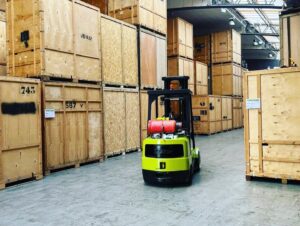
Step 8: Organise Equipment Inside Storage
Place Long-Term Items Further Back
Furniture or equipment that the business will not need for several months can occupy less accessible areas. Frequently required items should remain closer to the retrieval point.
Avoid Unsafe Stacking
Do not place heavy furniture or boxes on top of fragile monitors, electronics or delicate panels. Storage should focus on both space efficiency and asset protection rather than simply fitting the maximum possible number of items into one area.
Keep Clear Records of Locations
For larger storage projects, note where different departments or item categories remain. A location-based inventory can save significant time when the business needs selected equipment before the entire contents return.
Step 9: Protect Confidential Information
Follow Existing Data-Protection Procedures
Computers, storage devices and paper records may contain confidential information. Businesses should apply their normal access-control, data-retention and information-security procedures while equipment remains in storage.
Limit Unnecessary Access
Only authorised employees should manage sensitive documents or storage devices. Clearly defining responsibility can reduce confusion and help the organisation maintain appropriate control throughout the storage period.
Step 10: Plan Retrieval Before You Need the Equipment
Create a Return Schedule
Do not wait until reopening day to think about delivery. Decide when desks, technology, filing systems and other assets should return. Some equipment may need to arrive before employees so IT teams can reconnect and test systems.
Restore Equipment in Priority Order
Businesses should usually prioritise essential infrastructure and workstations before decorative or low-priority items. An organised retrieval plan can help departments become operational faster and reduce unnecessary congestion at the destination.
Practical Tips for Storing Office Equipment Safely
Follow This Office Storage Checklist
Use these practical steps:
- Create a complete inventory.
- Photograph valuable equipment.
- Identify essential items.
- Remove unwanted furniture.
- Back up important data.
- Label computers and accessories.
- Protect monitors properly.
- Dismantle suitable furniture.
- Keep fittings in labelled bags.
- Mark fragile equipment.
- Review security procedures.
- Confirm storage conditions.
- Ask about access arrangements.
- Keep confidential data appropriately controlled.
- Update the inventory after every change.
- Plan retrieval before reopening.
- Restore essential equipment first.
Good preparation makes storage easier to manage from collection through to final delivery.
How Long Should Office Equipment Stay in Storage?
Short-Term Storage Can Support Temporary Projects
A few weeks of storage may help during decorating, repairs or a short gap between premises. Short-term arrangements can keep valuable equipment away from active building work while allowing the business to retrieve it relatively quickly.
Medium-Term Storage Can Support Relocation Delays
Several months of storage may suit businesses waiting for a new lease, refurbishment or phased move. During longer periods, inventory management and equipment preparation become increasingly important.
Long-Term Storage Requires More Planning
Businesses storing furniture, technology or archives for extended periods should review whether every item still deserves storage. Consider equipment age, future usefulness, access requirements and ongoing cost rather than storing surplus belongings indefinitely without review.
Common Office Storage Mistakes to Avoid
Storing Equipment Without an Inventory
Without reliable records, businesses can lose track of valuable assets and waste time searching later. Build the inventory before collection begins and maintain it throughout the storage period.
Packing Electronics Without Preparation
Placing computers and monitors into ordinary boxes without suitable protection can expose them to impact. Clean, label and protect electronics properly and involve IT professionals where technical preparation remains necessary.
Forgetting About Retrieval
Storage should form part of the relocation plan, not become a separate problem. Decide in advance when and how equipment will return so the business can coordinate delivery with contractors, IT staff and employees.
Why Choose Going Places Removals?
Practical Support for Office Moves and Storage
Going Places Removals can help businesses coordinate the physical collection, transportation and storage of office belongings according to the agreed service. Customers can discuss furniture volume, access conditions and storage requirements before collection.
Support Based on Individual Business Needs
A small office refurbishment requires a different approach from a large relocation. Equipment quantities, storage duration, property access and retrieval schedules can all change the most practical plan.
Clear Communication Throughout the Process
Businesses need reliable information about collection, storage and eventual delivery. Clear communication helps internal teams coordinate their own responsibilities and reduces unnecessary uncertainty during complex projects.
Why People Trust Us
Businesses Need Careful Handling
Office furniture, computers and workplace equipment often represent significant investment. Customers want a moving provider that handles these belongings responsibly from collection through to storage and later delivery.
Straightforward Information Builds Confidence
A professional storage and removal service should explain arrangements clearly, including access, storage periods, charges and preparation requirements. Realistic information helps businesses make better decisions and plan their projects more effectively.
Frequently Asked Questions
1. What Is the Best Way to Store Office Equipment?
Create an inventory, clean and label equipment, protect fragile items and choose a suitable storage facility. Keep important technology and frequently needed items accessible. Businesses should also review security, storage conditions, access, insurance arrangements and retrieval procedures before committing to a provider.
2. Can Computers Be Kept in Secure Storage?
Computers can often remain in storage when properly prepared. Back up important information, protect hardware from impact and keep accessories clearly labelled. Businesses should also follow their usual data-security procedures and confirm that the storage environment suits electronic equipment.
3. How Long Can Office Equipment Stay in Storage?
Storage periods can range from several weeks to months or longer depending on the provider and business requirements. For extended storage, review electronics, confidential documents, furniture condition and ongoing costs. Flexible arrangements can help when renovation or relocation schedules change.
4. Is Secure Storage Useful During an Office Move?
Yes. Storage can separate collection from final delivery when the new office is not ready. It can also create more working space during renovations and allow companies to move furniture in stages rather than completing every part of the relocation on one day.
5. What Should I Check Before Choosing Office Storage?
Review security, access, storage conditions, pricing, terms and handling arrangements. Ask whether the provider can accommodate furniture, electronics and other specialist items. Clarify retrieval procedures and provide accurate information about what you intend to store before booking.

Final Thoughts
Secure storage for office equipment can help businesses manage relocations, refurbishments, downsizing projects and temporary property changes with greater flexibility.
The best results come from treating storage as part of the wider business relocation plan. Create an accurate inventory, identify essential items, protect electronics carefully and label every piece of equipment before collection.
Businesses should also think beyond security alone. Storage conditions, access, retrieval procedures, data protection and future equipment requirements all matter. A secure facility provides limited value if employees cannot retrieve critical items when they need them.
Plan the return process early as well. Essential technology, desks and operational equipment may need to arrive before employees so technical teams can prepare the workplace.
Going Places Removals can support businesses with the practical transportation and storage stages of an office project. With careful preparation, clear records and organised handling, secure storage for office equipment can provide a straightforward way to protect valuable workplace assets until the business is ready to use them again.
 Unit 1, Duchy Business Centre,
